Scene from the epic "Braveheart" by Mel Gibson (1995)
This time I want to present an excellent visual tool I've started using recently to improve my projects' documentation. It's the Cacoo online diagram editor, which is a professional flash tool.
The basic concept is very easy: you create graphic diagrams. You may structure them in folders and sheets (don't worry, each country should have its own translation already - I'm using Polish version):
There's a history of all changes done on each diagram:
Creating a diagram usually starts with creating your own, custom objects which represent something. You may use standard, predefined objects or import any image from the internet to combine new objects:
You may resize or change the angle of an object:
There are lots of predefined stencils to USE, including entire UML:
The interface is very intuitive - it took me only an hour to learn how to make the most out of cacoo.
There are dozens of easy tools you can use to make really good quality diagrams:
I won't try to list al those tools, I hope the screenshots I made speak for themselves (especially I like the drag n'drop stuff and moving objects across the diagram).
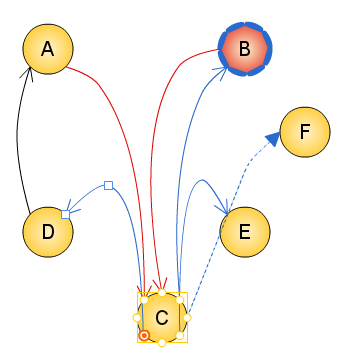
And the most comfortable and user-friendy thing is easy diagram update. If your IT project has changed and your documentatin is not up to date anymore - just log in, make a tiny change in the diagram and dump it again, replace the old diagram in the docs and you're done!
predefined objects to use
Just get a predefined stencil - just like a nice looking professor below:
This stencil is a group of smaller objects. You can choose some objects to be grouped to make moving easier. You can even resize a whole group of objects, including font size changes! And groups can consist of groups...
Anyway, a group member can still be edited separately:
There are really lots and lots of possibilities there. You can do whatever you can think of.
Finally, you can export your work to few file formats (I use ksnapshot - PNG file is enough for me).
try the demo version
The free plan gives you the possibility to hold 25 diagrams and it's enough to create useful diagrams, documenting your projects. I did - and I'm satisfied. Just take a look:
they didn't found me - I found them :)
Just to make it clear - I was not contacted by the Cacoo team and I was not asked if I could write a nice review (things like this happen - some time ago I was asked to review a pro-symfony IDE) ;-). So there was no bribe. One day I was just looking for a free UML-designing software (desktop app or online), because I was finding StarUML less and less satisfying. I found Cacoo and I didn't need to search any longer.
Try it.